All Countries
  • KVR003 VRChat Avatar

    $6.00

     《AI Shoujo/HoneySelect2》Character Card
    Digital· New · In stock
    0 Reviews

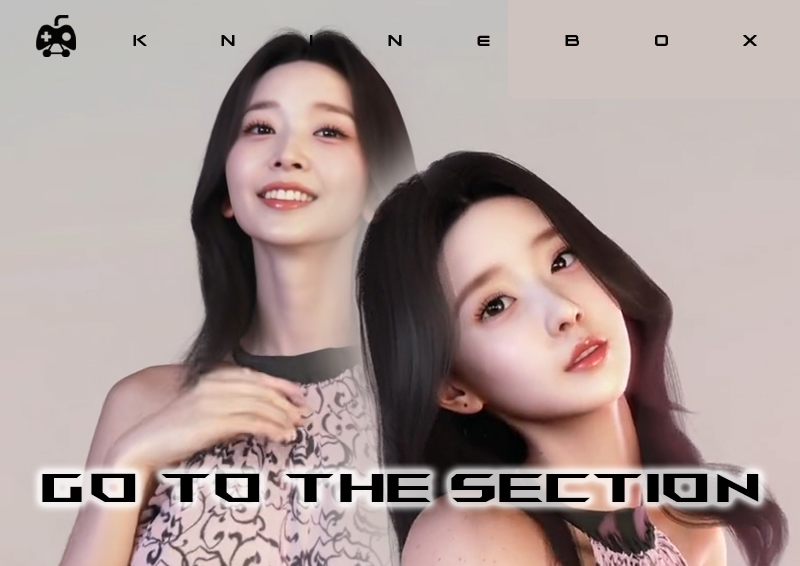
    3D Model: Miu

    ■ Specifications
    Polygon Count: * Skirt ver.: 44,034

    Hotpants ver.: 45,185

    Features & Compatibility:

    Full Body Tracking Ready

    Lip-sync Support

    Auto-blink (with interference prevention)

    7 Facial Expressions

    Eye Tracking

    Cloth Physics / Dynamic Bone

    Includes Base Body (Underclothes)

    Shader: Unity-Chan Toon Shader 2.07 (Included)

    ■ Package Contents
    Blender file / FBX file

    Textures (psd, png)

    Note: Slight variations exist between the Hotpants, Skirt, and Base Body textures (e.g., shadows, socks).

    Unity Package: Ready for direct upload after import.

    Modification Guide: Instructions for Cloth settings, skin color changes, blink reset, and animation layers.

    Readme / Terms of Use

    ■ How to Setup
    Import VRCSDK and Dynamic Bone first.

    Import Miu.unitypackage.

    Double-click Miu.unity (or drag the prefab from the folder into the Hierarchy).

    You should now be ready to upload.
    3D Model: Miu ■ Specifications Polygon Count: * Skirt ver.: 44,034 Hotpants ver.: 45,185 Features & Compatibility: Full Body Tracking Ready Lip-sync Support Auto-blink (with interference prevention) 7 Facial Expressions Eye Tracking Cloth Physics / Dynamic Bone Includes Base Body (Underclothes) Shader: Unity-Chan Toon Shader 2.07 (Included) ■ Package Contents Blender file / FBX file Textures (psd, png) Note: Slight variations exist between the Hotpants, Skirt, and Base Body textures (e.g., shadows, socks). Unity Package: Ready for direct upload after import. Modification Guide: Instructions for Cloth settings, skin color changes, blink reset, and animation layers. Readme / Terms of Use ■ How to Setup Import VRCSDK and Dynamic Bone first. Import Miu.unitypackage. Double-click Miu.unity (or drag the prefab from the folder into the Hierarchy). You should now be ready to upload.
    ·101 Views ·0 Reviews
  • KVR002 VRChat Avatar

    $5.00

     VRChat Avatars
    Digital· New · In stock
    0 Reviews

    This is a character model pre-configured for VRChat. Simply import the Unitypackage to start using it immediately.

    ■ Setup Instructions
    Create a new Unity project and import Unity-Chan Toon Shader 2.0.7, DynamicBone, and VRCSDK 3.0.

    Import colette.unitypackage.

    Drag the colette prefab into the Hierarchy.

    Go to the menu: VRCSDK -> Show Build Control Panel.

    Name your avatar and upload it as Private.

    Ready! You can now use it in VRChat.

    ■ Technical Specifications
    Polygon Count: Approx. 35,000

    Textures:

    2048×2048 (3 images)

    512×512 (2 images)

    256×256 (2 images)

    Materials: 4

    ■ Included Files
    Unity Package

    FBX file

    7 PNG images

    Manual (This document)

    Terms of Use (Japanese)

    Terms of Use (English)

    ■ Description
    Includes 15 types of VRChat Lip-sync and various facial expression morphs. The model is pre-configured with Unity-Chan Toon Shader 2.0.7 and DynamicBone settings, so please ensure these are imported into your project beforehand.

    Note: Physics will not function without DynamicBone. Dynamic Parts: Hair and Skirt.
    This is a character model pre-configured for VRChat. Simply import the Unitypackage to start using it immediately. ■ Setup Instructions Create a new Unity project and import Unity-Chan Toon Shader 2.0.7, DynamicBone, and VRCSDK 3.0. Import colette.unitypackage. Drag the colette prefab into the Hierarchy. Go to the menu: VRCSDK -> Show Build Control Panel. Name your avatar and upload it as Private. Ready! You can now use it in VRChat. ■ Technical Specifications Polygon Count: Approx. 35,000 Textures: 2048×2048 (3 images) 512×512 (2 images) 256×256 (2 images) Materials: 4 ■ Included Files Unity Package FBX file 7 PNG images Manual (This document) Terms of Use (Japanese) Terms of Use (English) ■ Description Includes 15 types of VRChat Lip-sync and various facial expression morphs. The model is pre-configured with Unity-Chan Toon Shader 2.0.7 and DynamicBone settings, so please ensure these are imported into your project beforehand. Note: Physics will not function without DynamicBone. Dynamic Parts: Hair and Skirt.
    ·62 Views ·0 Reviews
  • KVR001 VRChat Avatar

    $5.00

     VRChat Avatars
    Digital· New · In stock
    0 Reviews

    This is a character model set up specifically for VRChat. Simply import the Unitypackage to start using it immediately.
    ■ Setup Instructions
    Create a project in Unity and import Unity-Chan Toon Shader 2.0.7, DynamicBone, and VRCSDK 3.0.
    Import colette.unitypackage.
    Drag the Colette prefab into the Hierarchy.
    Select VRCSDK -> Show Build Control Panel from the menu.
    Give the avatar a name and upload it as Private.
    Ready! You can now use it in VRChat.
    ■ Included Files
    Unity Package
    FBX file
    PNG images (7 total)
    Manual (This document)
    Terms of Use (English)
    ■ Description
    The model includes 15 types of VRChat Lip-sync and various facial expression morphs. Settings for Unity-Chan Toon Shader 2.0.7 and DynamicBone are pre-configured, so please ensure these are imported beforehand.
    Note: If DynamicBone is not present, the physics/jiggle effects will not work. Dynamic Parts: Hair, Skirt, Ears, and Tail.
    This is a character model set up specifically for VRChat. Simply import the Unitypackage to start using it immediately. ■ Setup Instructions Create a project in Unity and import Unity-Chan Toon Shader 2.0.7, DynamicBone, and VRCSDK 3.0. Import colette.unitypackage. Drag the Colette prefab into the Hierarchy. Select VRCSDK -> Show Build Control Panel from the menu. Give the avatar a name and upload it as Private. Ready! You can now use it in VRChat. ■ Included Files Unity Package FBX file PNG images (7 total) Manual (This document) Terms of Use (English) ■ Description The model includes 15 types of VRChat Lip-sync and various facial expression morphs. Settings for Unity-Chan Toon Shader 2.0.7 and DynamicBone are pre-configured, so please ensure these are imported beforehand. Note: If DynamicBone is not present, the physics/jiggle effects will not work. Dynamic Parts: Hair, Skirt, Ears, and Tail.
    ·192 Views ·0 Reviews
  • M336 Original honey select 2 cards download

    $3.00

     《AI Shoujo/HoneySelect2》Character Card
    Digital· New · In stock
    0 Reviews

    Characters usage method
    Please send copy the PNG file into your computer game folder: UserData\chara\female (or male if male character)
    After placing the PNG file,You can open the AI shoujo or HoneySelect2 game and read the characters
    The model data of the two games (AI shoujo and HoneySelect2 )can be used in common.
    If the character is not functioning properly, please refer to this post:
    https://www.knineboxstore.com/static/hs2help
    Characters usage method Please send copy the PNG file into your computer game folder: UserData\chara\female (or male if male character) After placing the PNG file,You can open the AI shoujo or HoneySelect2 game and read the characters The model data of the two games (AI shoujo and HoneySelect2 )can be used in common. If the character is not functioning properly, please refer to this post: https://www.knineboxstore.com/static/hs2help
    ·14K Views ·0 Reviews
  • M335 Original honey select 2 cards download

    $3.00

     《AI Shoujo/HoneySelect2》Character Card
    Digital· New · In stock
    0 Reviews

    Characters usage method
    Please send copy the PNG file into your computer game folder: UserData\chara\female (or male if male character)
    After placing the PNG file,You can open the AI shoujo or HoneySelect2 game and read the characters
    The model data of the two games (AI shoujo and HoneySelect2 )can be used in common.
    If the character is not functioning properly, please refer to this post:
    https://www.knineboxstore.com/static/hs2help
    Characters usage method Please send copy the PNG file into your computer game folder: UserData\chara\female (or male if male character) After placing the PNG file,You can open the AI shoujo or HoneySelect2 game and read the characters The model data of the two games (AI shoujo and HoneySelect2 )can be used in common. If the character is not functioning properly, please refer to this post: https://www.knineboxstore.com/static/hs2help
    ·14K Views ·0 Reviews
  • M334 Original honey select 2 cards download

    $3.00

     《AI Shoujo/HoneySelect2》Character Card
    Digital· New · In stock
    0 Reviews

    Characters usage method
    Please send copy the PNG file into your computer game folder: UserData\chara\female (or male if male character)
    After placing the PNG file,You can open the AI shoujo or HoneySelect2 game and read the characters
    The model data of the two games (AI shoujo and HoneySelect2 )can be used in common.
    If the character is not functioning properly, please refer to this post:
    https://www.knineboxstore.com/static/hs2help
    Characters usage method Please send copy the PNG file into your computer game folder: UserData\chara\female (or male if male character) After placing the PNG file,You can open the AI shoujo or HoneySelect2 game and read the characters The model data of the two games (AI shoujo and HoneySelect2 )can be used in common. If the character is not functioning properly, please refer to this post: https://www.knineboxstore.com/static/hs2help
    ·14K Views ·0 Reviews
  • M333 Original honey select 2 cards download

    $3.00

     《AI Shoujo/HoneySelect2》Character Card
    Digital· New · In stock
    0 Reviews

    Characters usage method
    Please send copy the PNG file into your computer game folder: UserData\chara\female (or male if male character)
    After placing the PNG file,You can open the AI shoujo or HoneySelect2 game and read the characters
    The model data of the two games (AI shoujo and HoneySelect2 )can be used in common.
    If the character is not functioning properly, please refer to this post:
    https://www.knineboxstore.com/static/hs2help
    Characters usage method Please send copy the PNG file into your computer game folder: UserData\chara\female (or male if male character) After placing the PNG file,You can open the AI shoujo or HoneySelect2 game and read the characters The model data of the two games (AI shoujo and HoneySelect2 )can be used in common. If the character is not functioning properly, please refer to this post: https://www.knineboxstore.com/static/hs2help
    ·14K Views ·0 Reviews
  • M332 Original honey select 2 cards download

    $3.00

     《AI Shoujo/HoneySelect2》Character Card
    Digital· New · In stock
    0 Reviews

    Characters usage method
    Please send copy the PNG file into your computer game folder: UserData\chara\female (or male if male character)
    After placing the PNG file,You can open the AI shoujo or HoneySelect2 game and read the characters
    The model data of the two games (AI shoujo and HoneySelect2 )can be used in common.
    If the character is not functioning properly, please refer to this post:
    https://www.knineboxstore.com/static/hs2help
    Characters usage method Please send copy the PNG file into your computer game folder: UserData\chara\female (or male if male character) After placing the PNG file,You can open the AI shoujo or HoneySelect2 game and read the characters The model data of the two games (AI shoujo and HoneySelect2 )can be used in common. If the character is not functioning properly, please refer to this post: https://www.knineboxstore.com/static/hs2help
    ·14K Views ·0 Reviews
  • M331 Original honey select 2 cards download

    $3.00

     《AI Shoujo/HoneySelect2》Character Card
    Digital· New · In stock
    0 Reviews

    Characters usage method
    Please send copy the PNG file into your computer game folder: UserData\chara\female (or male if male character)
    After placing the PNG file,You can open the AI shoujo or HoneySelect2 game and read the characters
    The model data of the two games (AI shoujo and HoneySelect2 )can be used in common.
    If the character is not functioning properly, please refer to this post:
    https://www.knineboxstore.com/static/hs2help
    Characters usage method Please send copy the PNG file into your computer game folder: UserData\chara\female (or male if male character) After placing the PNG file,You can open the AI shoujo or HoneySelect2 game and read the characters The model data of the two games (AI shoujo and HoneySelect2 )can be used in common. If the character is not functioning properly, please refer to this post: https://www.knineboxstore.com/static/hs2help
    ·14K Views ·0 Reviews
  • M330 Original honey select 2 cards download

    $3.00

     《AI Shoujo/HoneySelect2》Character Card
    Digital· New · In stock
    0 Reviews

    Characters usage method
    Please send copy the PNG file into your computer game folder: UserData\chara\female (or male if male character)
    After placing the PNG file,You can open the AI shoujo or HoneySelect2 game and read the characters
    The model data of the two games (AI shoujo and HoneySelect2 )can be used in common.
    If the character is not functioning properly, please refer to this post:
    https://www.knineboxstore.com/static/hs2help
    Characters usage method Please send copy the PNG file into your computer game folder: UserData\chara\female (or male if male character) After placing the PNG file,You can open the AI shoujo or HoneySelect2 game and read the characters The model data of the two games (AI shoujo and HoneySelect2 )can be used in common. If the character is not functioning properly, please refer to this post: https://www.knineboxstore.com/static/hs2help
    ·14K Views ·0 Reviews
  • M329 Original honey select 2 cards download

    $3.00

     《AI Shoujo/HoneySelect2》Character Card
    Digital· New · In stock
    0 Reviews

    Characters usage method
    Please send copy the PNG file into your computer game folder: UserData\chara\female (or male if male character)
    After placing the PNG file,You can open the AI shoujo or HoneySelect2 game and read the characters
    The model data of the two games (AI shoujo and HoneySelect2 )can be used in common.
    If the character is not functioning properly, please refer to this post:
    https://www.knineboxstore.com/static/hs2help
    Characters usage method Please send copy the PNG file into your computer game folder: UserData\chara\female (or male if male character) After placing the PNG file,You can open the AI shoujo or HoneySelect2 game and read the characters The model data of the two games (AI shoujo and HoneySelect2 )can be used in common. If the character is not functioning properly, please refer to this post: https://www.knineboxstore.com/static/hs2help
    ·14K Views ·0 Reviews
  • M328 Original honey select 2 cards download

    $3.00

     《AI Shoujo/HoneySelect2》Character Card
    Digital· New · In stock
    0 Reviews

    Characters usage method
    Please send copy the PNG file into your computer game folder: UserData\chara\female (or male if male character)
    After placing the PNG file,You can open the AI shoujo or HoneySelect2 game and read the characters
    The model data of the two games (AI shoujo and HoneySelect2 )can be used in common.
    If the character is not functioning properly, please refer to this post:
    https://www.knineboxstore.com/static/hs2help
    Characters usage method Please send copy the PNG file into your computer game folder: UserData\chara\female (or male if male character) After placing the PNG file,You can open the AI shoujo or HoneySelect2 game and read the characters The model data of the two games (AI shoujo and HoneySelect2 )can be used in common. If the character is not functioning properly, please refer to this post: https://www.knineboxstore.com/static/hs2help
    ·14K Views ·0 Reviews
More Stories